
What Is an MCP Server (and How to Build One in Minutes)
If you’ve been exploring AI agents, you’ve probably seen the term MCP server pop up.
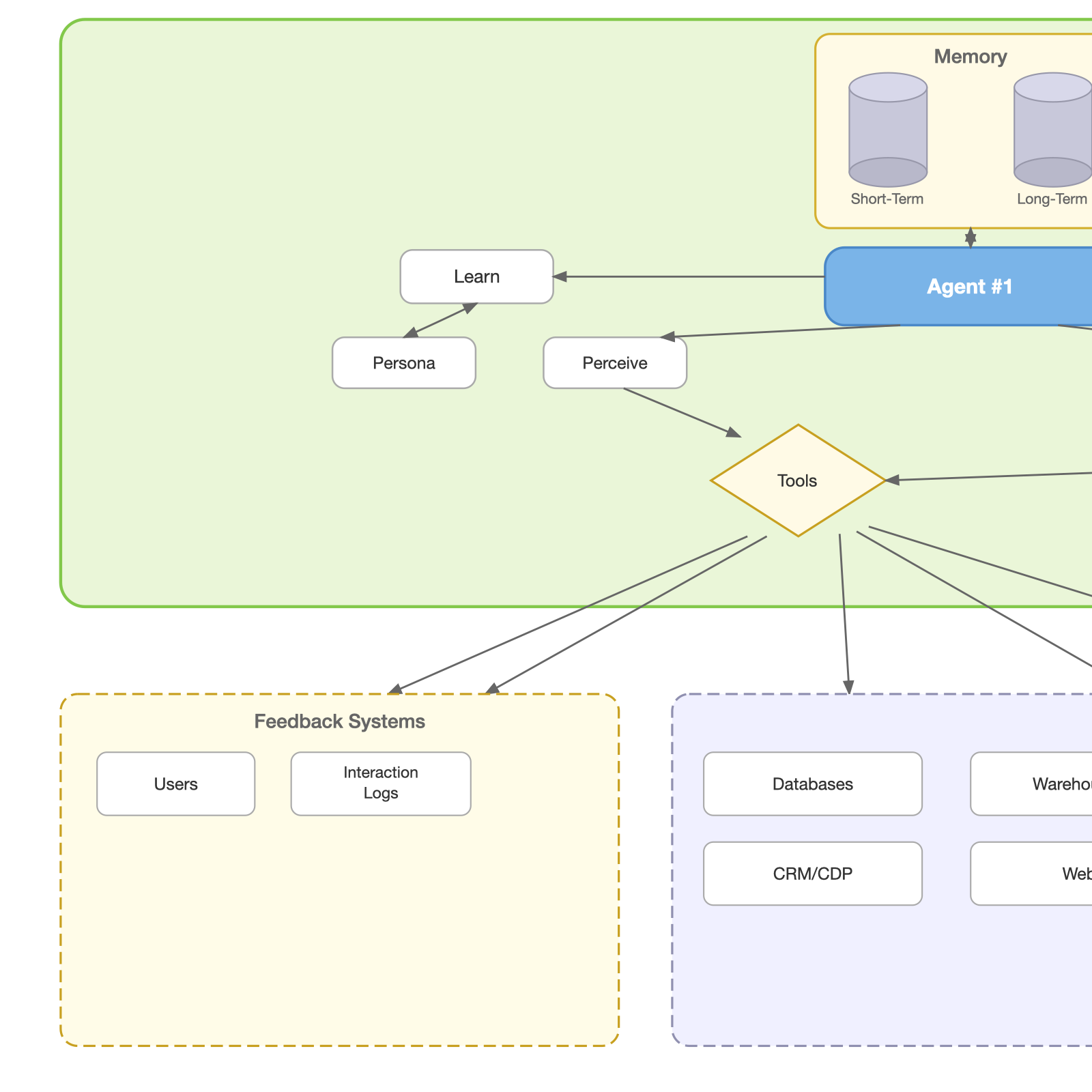
🧠 What Is an MCP Server?
MCP (Model Context Protocol) is a way to let AI models interact with tools, data, and systems in a structured, consistent way.
At a high level:
👉 An MCP server exposes tools (functions, APIs, data) 👉 An AI model calls those tools when needed 👉 The MCP layer standardizes how they talk
Think of it like this:
- The model = the portfolio manager
- The MCP server = the trading desk
- The protocol = the order ticket format between them
Instead of hardcoding logic into the AI, you give it capabilities it can call dynamically — like giving a portfolio manager a direct line to market data, order execution, and risk analytics on demand.
⚙️ Why MCP Matters
Without MCP:
- You build custom integrations every time (one-off scripts for each brokerage API, data feed, or screener)
- Logic gets duplicated across tools
- AI is limited to what’s inside the prompt
With MCP:
- Tools are reusable across models and workflows
- AI becomes action-oriented (not just text — it can fetch quotes, run screens, generate alerts)
- You separate reasoning from execution
👉 This is the foundation of modern AI agents.
🏗️ MCP Server Architecture (Simple Version)
An MCP server typically has:
- Tool definitions — what capabilities exist (fetch a quote, screen stocks, calculate risk)
- Execution layer — the code that actually runs each tool
- Interface — usually HTTP or JSON-RPC
Example flow:
- User asks: “What’s AAPL trading at right now?”
- Model decides: call the
fetch_stock_pricetool - MCP server executes it (hits a market data API)
- Returns structured data (ticker, price, change, volume)
- Model formats the answer for the user
🚀 Build a Simple MCP Server (Python)
Let’s create a minimal version using Python + FastAPI — themed around stock market tools.
Step 1: Install dependencies
pip install fastapi uvicornStep 2: Create the server
from fastapi import FastAPI
from pydantic import BaseModel

app = FastAPI()

# Define request structure
class MCPRequest(BaseModel):
    tool: str
    input: dict

# Example tools
def fetch_stock_price(ticker: str):
    # In production, this would hit a real API (e.g., Alpha Vantage, Polygon.io)
    mock_prices = {
        "AAPL": {"ticker": "AAPL", "price": 198.52, "change": +1.23, "volume": "54.2M"},
        "MSFT": {"ticker": "MSFT", "price": 415.80, "change": -0.87, "volume": "22.1M"},
        "TSLA": {"ticker": "TSLA", "price": 172.35, "change": +3.41, "volume": "98.7M"},
    }
    return mock_prices.get(ticker.upper(), {"error": f"Ticker {ticker} not found"})

def calculate_position_size(portfolio_value: float, risk_pct: float, entry: float, stop_loss: float):
    risk_amount = portfolio_value * (risk_pct / 100)
    risk_per_share = abs(entry - stop_loss)
    shares = int(risk_amount / risk_per_share) if risk_per_share > 0 else 0
    return {
        "shares": shares,
        "total_cost": round(shares * entry, 2),
        "max_loss": round(shares * risk_per_share, 2)
    }

# Tool registry
TOOLS = {
    "fetch_stock_price": fetch_stock_price,
    "calculate_position_size": calculate_position_size,
}

@app.post("/mcp")
def handle_mcp(req: MCPRequest):
    tool_name = req.tool
    tool_input = req.input

    if tool_name not in TOOLS:
        return {"error": "Tool not found"}

    result = TOOLS[tool_name](**tool_input)
    return {"output": result}
Step 3: Run the server
uvicorn main:app --reloadStep 4: Test it
Example request — fetch a stock price:
POST /mcp

{
  "tool": "fetch_stock_price",
  "input": {
    "ticker": "AAPL"
  }
}
Response:
{
  "output": {
    "ticker": "AAPL",
    "price": 198.52,
    "change": 1.23,
    "volume": "54.2M"
  }
}
Example request — calculate position size:
POST /mcp

{
  "tool": "calculate_position_size",
  "input": {
    "portfolio_value": 100000,
    "risk_pct": 1,
    "entry": 198.52,
    "stop_loss": 190.00
  }
}
Response:
{
  "output": {
    "shares": 117,
    "total_cost": 23226.84,
    "max_loss": 996.84
  }
}
🔌 How This Connects to AI
In a real setup:
- The AI model decides which tool to call based on the user’s question
- Your MCP server executes it
- The result is fed back to the model for formatting and reasoning
This is exactly how AI copilots, automation agents, and “coworker” tools actually do things — not just talk.
When a user says “Should I add to my TSLA position?”, the model can autonomously call fetch_stock_price, pull historical data, check portfolio exposure, calculate risk — and then synthesize an informed response. No hardcoded logic required.
🧩 Real-World Extensions
Once you have this working, you can plug in tools for a full stock research and trading workflow:
- 📊 Market data feeds — real-time quotes, historical OHLCV, options chains
- 📈 Technical analysis — RSI, MACD, moving averages, support/resistance levels
- 🏦 Portfolio tracking — positions, P&L, allocation percentages, sector exposure
- 📰 News & sentiment — earnings calls, SEC filings, analyst upgrades/downgrades
- ⚠️ Risk management — position sizing, stop-loss calculations, correlation checks
- 🤖 Alerts & automation — price triggers, earnings date reminders, rebalancing signals
👉 In a stock research agent, MCP becomes the control layer for:
fetch_stock_price— get current or historical pricesscreen_stocks— filter the market by criteria (P/E, dividend yield, sector)analyze_risk— calculate portfolio risk metrics and position sizinggenerate_watchlist_report— summarize your watchlist with key signals
⚠️ Common Mistakes
- Treating MCP as just another REST API — it’s a protocol for AI-tool interaction, not a generic endpoint
- Not separating tools cleanly — each tool should do one thing well (don’t bundle quote lookup and risk calc into one)
- Letting business logic leak into prompts — the model should reason; the tools should execute
- No logging or observability — you need to see what tools are being called, with what inputs, and what they return
🎯 Final Takeaway
An MCP server is not complicated. It’s just:
👉 A structured way to expose capabilities to AI
But that small shift is what turns:
❌ Chatbots that describe the market → into → ✅ Agents that read the tape and act on it
WebMCP: tools for AI agents in the browser
MCP servers make tools available to AI clients across different environments. WebMCP is a proposed web standard for websites to describe actions and forms to browser based AI agents, so those agents can interact with a site more reliably while the user has it open. The two approaches can complement each other: MCP can provide persistent, backend capabilities, while WebMCP exposes actions in the live website.
Chrome for Developers has an introduction to WebMCP with details on its declarative and JavaScript APIs, examples, and current availability. The standard is still evolving, so check the documentation for the latest implementation guidance.
For browser-level checks, see the Lighthouse Agentic Browsing scoring guide. The category checks WebMCP registration, accessibility, and layout stability; running its WebMCP audits requires Chrome 150 or later and a WebMCP origin-trial token.